TunnelSats: Hybrid Lightning Node Setup
Overview
TunnelSats simplifies running a hybrid Lightning node by routing both inbound and outbound clearnet P2P traffic through a dedicated WireGuard VPN tunnel while keeping Tor connectivity active. This guide walks you through configuring your node for optimal reliability, capital efficiency, and routing performance without exposing your residential IP address.
Key Benefits:
- Clearnet Speed & Reliability: Fast, low-latency HTLC routing and peer handshakes over IPv4 clearnet
- Full Egress & Ingress Privacy: Your residential IP remains hidden; peers only see the TunnelSats VPN endpoint
- Hybrid Redundancy: Split-tunneling keeps Tor (
.onion) active alongside clearnet so if either network degrades, your node stays reachable - Platform-Native Options: Dedicated apps for Umbrel and StartOS 0.4, plus a unified CLI installer (
tunnelsats.sh) for RaspiBlitz, RaspiBolt, myNode, and Bare Metal Linux
Important: Review this guide for your target node platform before proceeding. Always keep a backup of your WireGuard configuration file (
tunnelsats_<server>.conf) and your Lightning node configuration.
Prerequisites
Supported Node Platforms
- Umbrel (
umbrelOS 1.0 - 1.5+) - Supported via the dedicated TunnelSats Umbrel App (Community App Store and Official Store) - StartOS (
v0.4.0+) - Supported for LND, Core Lightning, and Eclair via the native TunnelSats StartOS package in the Start9 Community Registry - RaspiBlitz (
v1.8.0+) - Supported for LND and Core Lightning (CLN) viatunnelsats.sh - myNode (
v0.3+/ Debian 12) - Tested & supported for LND viatunnelsats.sh(Managed Mode); Core Lightning (CLN) is not applicable on myNode - RaspiBolt / MiniBolt - Supported for LND and Core Lightning (CLN) via
tunnelsats.sh - Bare Metal Linux Systems meeting these requirements:
- Debian or Ubuntu-based OS (
apt-getrequired) - Linux kernel
5.10.102+(verify withuname -r) nftables 0.9.6+(verify withnft -v)- LND or CLN running as a
systemdservice
- Debian or Ubuntu-based OS (
Software Requirements
- LND:
0.14.2-betaminimum (0.18.4+strongly recommended to avoid excessive gossip bandwidth usage) - Core Lightning (CLN): Latest stable release (
v23.08+supported) - Eclair:
0.14.3:3+(supported on StartOS 0.4) - Port Allocation: Only one Lightning implementation per bare-metal host can bind port
9735(on StartOS 0.4, each node runs the tunnel inside its own isolated container without port conflicts) - Payment: A small amount of sats over Lightning to purchase or renew your subscription
Bare-Metal System Check: On script-based platforms, run sudo bash tunnelsats.sh check at any time to verify kernel, cgroup, and nftables compatibility before installing.
How It Works
TunnelSats operates in three stages:
- VPN Subscription: Purchase a subscription on tunnelsats.com (or directly inside the Umbrel / StartOS app) to receive a dedicated WireGuard configuration (
tunnelsats_<server>.conf) with a static forwarded port. - Tunnel & Kill-Switch Setup: Enable the TunnelSats app/package or run
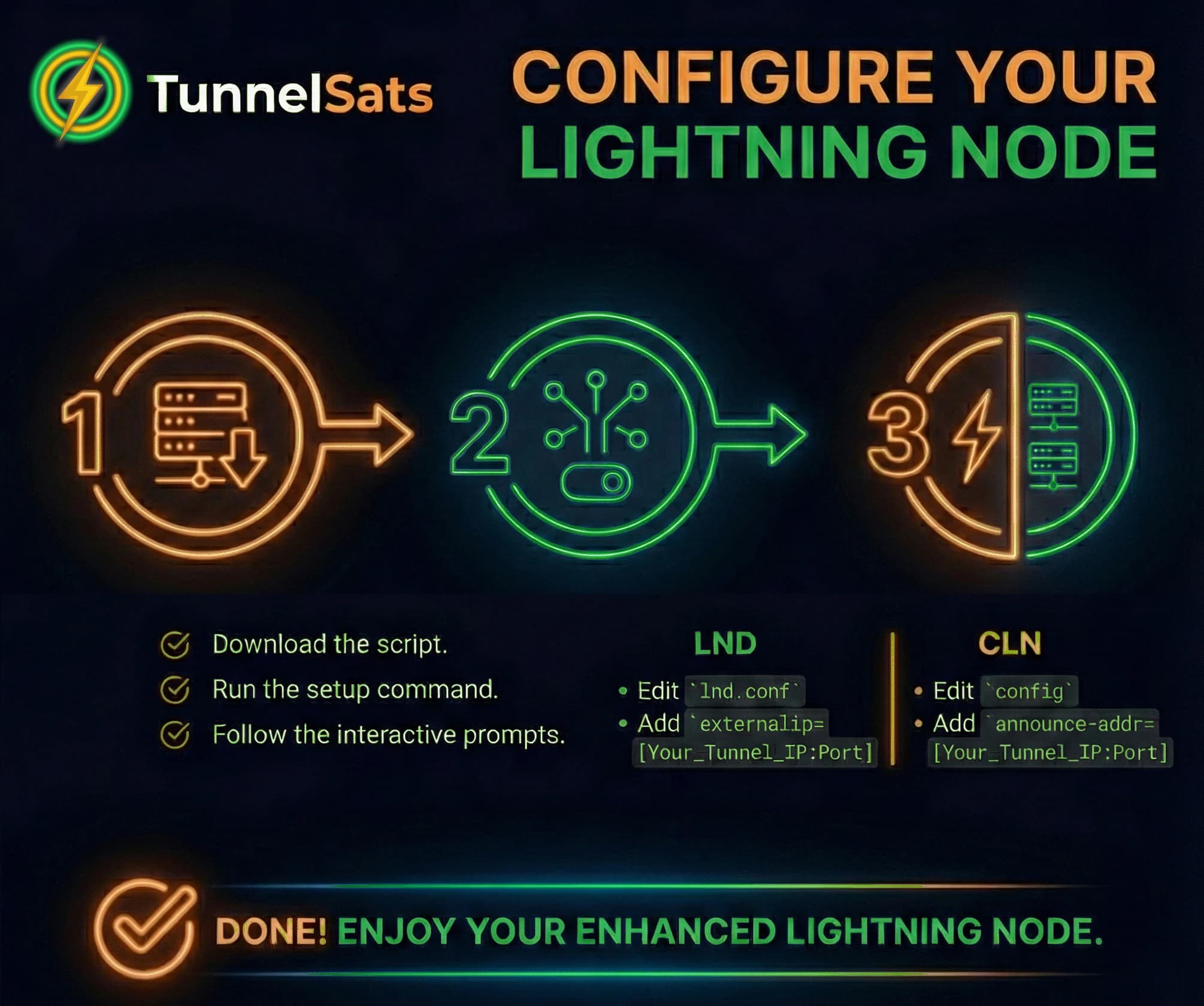
tunnelsats.sh installto configure WireGuard,nftablesfirewall rules, and split-tunnel routing so only Lightning P2P traffic uses the VPN. - Hybrid Node Configuration: Advertise your assigned
{vpnDNS}:{vpnPort}endpoint alongside your Tor.onionaddress so clearnet and Tor peers can both reach your node.
Installation
Step 1: Subscribe to TunnelSats
Tip for Umbrel & StartOS 0.4 Users: You can purchase your subscription directly inside the TunnelSats app UI on your node, or purchase on the website first and import your
.conffile.
- Visit tunnelsats.com
- Select a VPN server region close to your physical node location for the lowest latency
- Choose your subscription duration (
1,3,6, or12months) - Pay the Lightning invoice
- Download your
tunnelsats_<server>.conffile (for example,tunnelsats_de2.confortunnelsats_us3.conf)
Critical: Back up your
tunnelsats_<server>.conffile immediately to a safe location (such as your password manager or/mnt/hdd/app-data/tunnelsats/on RaspiBlitz). For privacy reasons, TunnelSats never stores your private keys and cannot recover lost configuration files.
Step 2: Choose Your Platform Installation Path
Select the installation method that matches your node OS below:
- Option A: Umbrel App (
umbrelOS 1.0+) - Option B: StartOS 0.4 Native Package
- Option C: RaspiBlitz, RaspiBolt, myNode & Bare Metal (
tunnelsats.sh)
Option A: Umbrel App (umbrelOS 1.0+)
Umbrel users do not need to run manual bash scripts or scp files. The dedicated TunnelSats App is available in the Umbrel Community App Store (and under review for the Official Umbrel App Store, PR #4919).
1. Fresh Installation on Umbrel
- Open your Umbrel App Store, click the Three Dots (More) menu in the top-right corner, and select Community App Stores.
- Add the TunnelSats repository URL:
https://github.com/Tunnelsats/ts-umbrel-app - Install the TunnelSats app from the newly added store.
- Open the TunnelSats app, purchase a new subscription directly in the UI or open Subscribe / Import and paste your
tunnelsats_<server>.conffile. - Open the Installation tab inside the app and connect LND or Core Lightning with one click.
In-App Diagnostics: The Umbrel App includes built-in FAQ, Instructions, and Health Check tabs directly inside the browser UI.
2. Official Store Secure Mode vs. Community Store Automated Mode
- Community App Store (
SECURE_MODE=false): Can automatically update your Lightning configuration (lnd.confor CLNconfig) and restart your Lightning container for a 1-click setup. - Official Umbrel App Store (Secure Mode): To comply with official Umbrel App Store sandboxing rules, Secure Mode runs without root Docker socket access. Instead of modifying files automatically, the app displays the exact target path and configuration lines with Copy-to-Clipboard buttons:
- Open the Umbrel Files app (or connect via SSH).
- Navigate to the configuration file path shown in the app modal (for example,
/home/umbrel/umbrel/app-data/lightning/data/lnd/lnd.conffor LND or/home/umbrel/umbrel/app-data/core-lightning/data/lightningd/bitcoin/configfor CLN). - Paste the provided hybrid configuration parameters and save the file.
- Return to your Umbrel dashboard and restart your Lightning Node (or Core Lightning) app.
3. Migrating from the Legacy tunnelsats.sh Script on Umbrel
If you previously installed TunnelSats on Umbrel using the manual CLI script:
- Recover your existing config (if you do not have the
.conffile backed up):bashsudo awk '1;/PersistentKeepalive/{exit}' /etc/wireguard/tunnelsatsv2.conf - Remove the legacy host-level script setup (on
umbrelOS 1.6+, a simple reboot already clears legacy host-level services; onumbrelOS 1.0 - 1.5, run the SHA-256-verified legacy uninstaller pinned at commite281584, the final revision containing the ownership-scoped Umbrel host uninstaller):bashcurl -fsSL https://raw.githubusercontent.com/Tunnelsats/tunnelsats/e2815848bc11932daff0479af59f21e53503b95b/scripts/tunnelsats.sh -o /tmp/tunnelsats-legacy.sh echo "6ebcd135ab9b5c8da5374211a7d2dd8129536a1deaa5b04b83b22be0cb7fe2a5 /tmp/tunnelsats-legacy.sh" | sha256sum -c - sudo bash /tmp/tunnelsats-legacy.sh uninstall --keep-config rm -f /tmp/tunnelsats-legacy.sh - Follow the Fresh Installation on Umbrel steps above and paste your recovered configuration into Subscribe / Import.
Option B: StartOS 0.4 Native Package
StartOS 0.4 users do not use the bash script or StartOS system gateway settings. The native TunnelSats package for StartOS 0.4 (LND, Core Lightning, and Eclair) is available in the Start9 Community Registry (latest release, source: Start9-Community/tunnelsats-startos).
Minimum Node Package Versions (Required for Built-in Kill Switch):
- LND:
0.21.3-beta:10or newer- Core Lightning:
26.6.8:3or newer- Eclair:
0.14.3:3or newer
1. Install & Activate on StartOS 0.4
- Install: In StartOS, open Marketplace, switch to the Community Registry, select TunnelSats, and click Install.
- Buy or Import Subscription:
- New Subscription (
Buy Subscription): Open Services -> TunnelSats -> Actions -> Buy Subscription, select your Target Lightning Node (LND,Core Lightning, orEclair), a Server Region, and a Subscription Duration (1,3,6, or12months). Your device generates a fresh WireGuard keypair locally (your private key never leaves your server) and raises a Pay Invoice task on your Lightning node (also displaying the BOLT11 invoice so you can pay from any wallet). Once paid, the configuration is provisioned automatically. - Existing Config (
Import Subscription): Open Services -> TunnelSats -> Actions -> Import Subscription, choose your target node, and paste your existingtunnelsats_<server>.conf.
- New Subscription (
- Accept the
clearnet-vpnTask: On your Lightning node service page, accept the 1-click clearnet-vpn task ("Activate TunnelSats VPN tunnel and advertise clearnet endpoint to the Lightning Network"). Your node brings upwg0inside its own container, accepts inbound clearnet peer connections, and announces<server>:<port>to the Lightning Network.
2. StartOS Package Actions, Auto-Renewal & Kill Switch
- Package Actions (
Services -> TunnelSats -> Actions):- Renew Subscription: Extend by
1,3,6, or12months via a Pay Invoice task on your node. - Reset Bandwidth: Reset your current month's 100GB usage counter back to
0at any time via a Pay Invoice task. - Export WireGuard Configuration: View and copy your active
.confat any time. - Configure: Disable TunnelSats, move the tunnel to a different Lightning implementation, or replace the configuration.
- Connect Wallet (Optional NWC Auto-Renewal): Paste a Nostr Wallet Connect (
nostr+walletconnect://) URI to auto-renew when your subscription is 7 days or less from expiry (supports Tor for.onionrelays; we recommend a wallet budget of ~1.2xthe renewal price to absorb exchange rate shifts). If NWC payment fails, the package falls back to a Pay Invoice task and sends a StartOS notification.
- Renew Subscription: Extend by
- Kill Switch Architecture: While configured on a supported node package, routing table
51820inside the Lightning container enforces IPv4 and IPv6blackholedefault routes. Ifwg0drops, clearnet traffic is dropped immediately rather than leaking over your home IP, while Tor (.onion) peers remain connected. - Uninstalling or Reinstalling: Because
wg0runs inside the Lightning node's container, always run Export WireGuard Configuration before uninstalling. To stop the tunnel before uninstalling, disable TunnelSats under Configure and accept the node's off-task first.
Option C: RaspiBlitz, RaspiBolt, myNode & Bare Metal (tunnelsats.sh)
For terminal-based Linux nodes, use the unified tunnelsats.sh script.
1. Transfer Your WireGuard Configuration to Your Node
Copy your downloaded tunnelsats_<server>.conf file to your node's home directory using scp from your computer (or create the file on the node with nano):
bashscp tunnelsats_de2.conf <user>@<hostname>:/<home-directory>
2. Download & Verify tunnelsats.sh
SSH into your node, navigate to the directory containing your tunnelsats_<server>.conf, and download the installer script along with its SHA256 checksum:
bashwget -O tunnelsats.sh https://raw.githubusercontent.com/Tunnelsats/tunnelsats/5989319319a67c9d81ae44d008a659b9ba760564/scripts/tunnelsats.sh && wget -O tunnelsats.sh.sha256 https://raw.githubusercontent.com/Tunnelsats/tunnelsats/5989319319a67c9d81ae44d008a659b9ba760564/scripts/tunnelsats.sh.sha256
# Checksum (SHA256): 6634346ee04d54d661f6bf597fc384de6673b6e2e5601c4d7277a56b639fbfb0
Verify Script Integrity: Always verify the SHA256 checksum before executing the script:
bashsed 's|scripts/||' tunnelsats.sh.sha256 > tunnelsats.sh.sha256.local && sha256sum -c --ignore-missing tunnelsats.sh.sha256.local && rm tunnelsats.sh.sha256.local
3. Run the Installer
Ensure both tunnelsats_<server>.conf (or tunnelsatsv2.conf) and tunnelsats.sh are in the same directory, then execute the installer for your platform:
- RaspiBlitz, RaspiBolt, myNode & Bare Metal (Standard Mode):
bash
sudo bash tunnelsats.sh install - myNode (Managed Mode - automatically reconciles
listen=localhostand installs/usr/local/bin/tunnelsats;--impl lndselectslnd.servicewhenlit.serviceis also present on myNode):bashsudo bash tunnelsats.sh install --managed mynode --impl lnd --config tunnelsatsv2.conf sudo tunnelsats verify
Upon completion, tunnelsats.sh outputs your assigned {vpnDNS} (or {vpnIP}) and {vpnPort}. Save these values for the Lightning Node Configuration step below.
Lightning Node Configuration
Note: If you installed TunnelSats via the StartOS 0.4 Package or the Umbrel Community App (
SECURE_MODE=false), your node configuration is handled automatically and you can skip directly to Verification.
Before proceeding: Always back up your Lightning configuration file before editing!
bashcp /path/to/lnd.conf /path/to/lnd.conf.backup
Common Configuration File Paths:
- LND:
- RaspiBlitz:
/mnt/hdd/lnd/lnd.conf - RaspiBolt:
/data/lnd/lnd.conf - myNode:
/mnt/hdd/mynode/settings/lnd_extra_config.conf(or via the myNode Web GUI under LND -> Config -> Additional LND Config) - Umbrel (Secure Mode):
/home/umbrel/umbrel/app-data/lightning/data/lnd/lnd.conf
- RaspiBlitz:
- Core Lightning (CLN):
- RaspiBlitz:
/mnt/hdd/app-data/.lightning/config - RaspiBolt:
/data/cln/config - Umbrel (Secure Mode):
/home/umbrel/umbrel/app-data/core-lightning/data/lightningd/bitcoin/config
- RaspiBlitz:
Choose your Lightning implementation below:
Verification
Once your tunnel and node are running, verify both outbound egress privacy (confirming your node exits via the VPN IP, never your residential IP) and inbound port reachability:
1. Automated CLI Health Check (tunnelsats.sh)
On script-based setups (RaspiBlitz, RaspiBolt, myNode, and Bare Metal), run:
bashsudo bash tunnelsats.sh status
# Or on Managed Mode setups (e.g. myNode):
sudo tunnelsats verify
This checks the WireGuard handshake (sudo wg show), routing rules, cgroup isolation, and public IP visibility.
2. Verify Outbound Egress & Kill Switch
Confirm that outbound traffic from your Lightning environment exits through the TunnelSats server IP:
- Umbrel App (
umbrelOS 1.0+): Check the status badge and Health Check tab in the TunnelSats App Dashboard, or verify over SSH:bash# Community App Store installs (bundled host verifier): sudo ~/umbrel/app-data/tunnelsats/scripts/verify.sh # Direct outbound egress check via the tunnelsats-daemon container (all installs): DAEMON_CID=$(sudo docker ps -q --filter "label=com.docker.compose.service=tunnelsats-daemon" | head -n 1) sudo docker exec "$DAEMON_CID" curl -sL --interface tunnelsatsv2 https://api.ipify.org - RaspiBlitz, RaspiBolt, myNode & Bare Metal (
cgroupSetups):bashcgexec -g net_cls:splitted_processes curl --silent https://api.ipify.org - StartOS 0.4 Native Package:
Attach to your Lightning node container (for example,
start-cli package attach lnd) and verify both the active tunnel and the table51820blackhole kill switch:bashwg show wg0 # recent handshake and non-zero transfer ip rule # rule with "lookup 51820" ip route show table 51820 # "default dev wg0" and "blackhole default metric 4294967295" ip -6 route show table 51820 # "blackhole default dev lo metric 4294967295" curl -4 -s https://ifconfig.me # must print the TunnelSats server IPv4, never your home IP curl -6 -s https://ifconfig.me # must fail or print VPN IPv6, never your home IPv6
3. Verify Inbound Reachability & Bot Ping
- TCP Port Check: Replace
de2.tunnelsats.comand32320with your server and forwarded port:bashnc -zv de2.tunnelsats.com 32320 - Interactive Bot Verification:
- Armada Nostr Community: Run
/ping <your_node_pubkey>or/info <your_node_pubkey>in#generalor via DM to the TunnelSats Bot (join on Armada). - Telegram Bot: Send
/ping <[email protected]:port>to @TunnelSatsBot. - Website Ping Tool: Use the interactive Lightning Node Ping tool on tunnelsats.com.
- Armada Nostr Community: Run
Subscription Renewal & Server Migration
Renewing Your Subscription
Extend your active subscription at any time without changing your WireGuard configuration or restarting your node:
- Visit tunnelsats.com and open the Renew tab (or sign in to My Dashboard via Nostr extension or
lncli signmessage). - Enter your WireGuard Public Key (found in
tunnelsats_<server>.confas# myPubKeyor viasudo wg show) and click Check Status. - Choose your extension duration (
1,3,6, or12months - appended to your current expiry date) and pay the Lightning invoice. - You can also enable non-custodial Automatic NWC Renewals in My Dashboard (or via Connect Wallet inside the StartOS 0.4 package).
Migrating from Phased-Out Servers (de1 / de3 to de2)
If your node is on a retiring server (de1.tunnelsats.com or de3.tunnelsats.com), enter your WireGuard Public Key in the Renew tab on tunnelsats.com and click Review Consolidation Offer to claim a replacement de2.tunnelsats.com configuration with 100% of your remaining time carried over plus +30 bonus days and a 7-day zero-downtime grace window. (See full migration details in the FAQ).
Uninstallation & Technical Reference
Uninstalling tunnelsats.sh
To cleanly remove TunnelSats and restore your host's default networking:
bashsudo bash tunnelsats.sh uninstall
# Or on Managed Mode setups (e.g. myNode):
sudo bash tunnelsats.sh uninstall --managed
After uninstalling, restore your lnd.conf (or /mnt/hdd/mynode/settings/lnd_extra_config.conf on myNode) or CLN config from your backup (removing externalhosts / announce-addr and re-enabling tor.streamisolation=true if you wish to return to Tor-only mode) and restart your Lightning service.
tunnelsats.sh Command Reference
The unified tunnelsats.sh script manages the full lifecycle of script-based installations:
sudo bash tunnelsats.sh check- Pre-checks kernel version,cgroup-tools,nftables, and systemd compatibility without modifying your system.sudo bash tunnelsats.sh install(orsudo bash tunnelsats.sh install --managed mynode --impl lnd --config tunnelsatsv2.conf) - Installs dependencies (wireguard,cgroup-tools,nftables), configures split-tunneling and kill-switch rules, and enables systemd services.sudo bash tunnelsats.sh status(orsudo tunnelsats verify) - Runs a comprehensive headless health check of your VPN handshake, routing tables, Tor status, and public egress IP.sudo bash tunnelsats.sh restart- Safely stops your Lightning service, restarts the TunnelSats WireGuard tunnel, and starts your Lightning service again to prevent accidental home IP leakage.sudo bash tunnelsats.sh uninstall(orsudo bash tunnelsats.sh uninstall --managed) - Removes all TunnelSats systemd units,nftablestables, cgroups, and WireGuard interfaces.
Need Help? Visit our consolidated Support & Community Hub for real-time assistance on Armada (Nostr) and Telegram, our diagnostic troubleshooting checklist, or browse the FAQ.